Installation
Set up in minutes
Follow these steps to start monitoring on a Windows machine. Windows 10 / 11
1
Download & extract
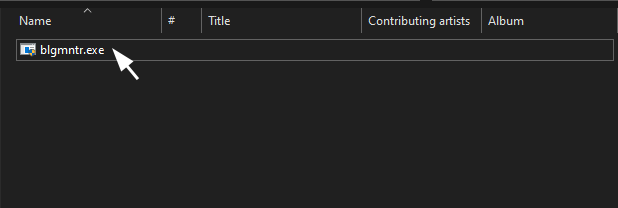
Click the download button below to get blg-monitoring.zip. Once downloaded, right-click the file and choose Extract All…, then open the extracted folder — you'll find blgmntr.exe inside.
2
Run as Administrator
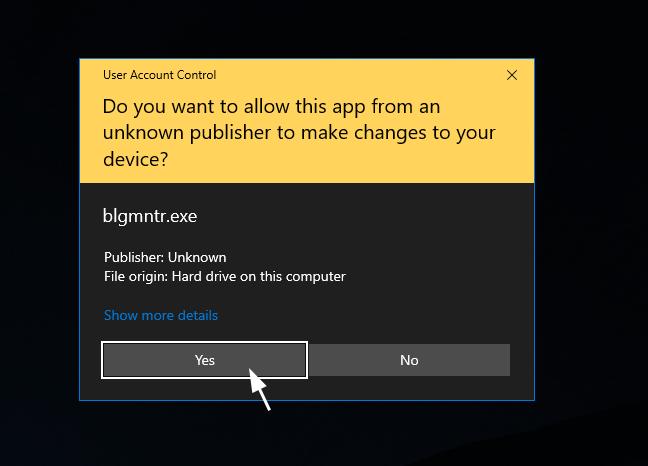
Windows will show a UAC prompt asking if you want to allow the app to make changes. Click Yes to continue. The program cannot run without this permission.
Administrator privileges are required to monitor system-level activity. Denying the prompt will exit the program.
3
Enter your credentials
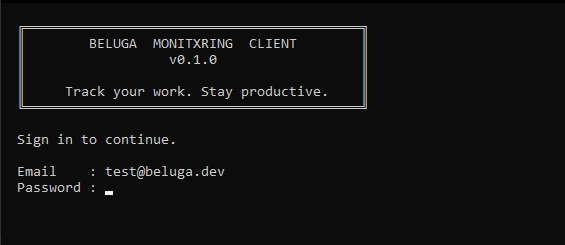
A console window will appear and prompt you for an email address and password. Enter the credentials that were provided to you.
>
Email: your@email.com
>
Password: ••••••••
Monitoring is active
Once authenticated, the console will display Monitoring is active. You can minimize the window — do not close it, as it needs to stay running in the background.